




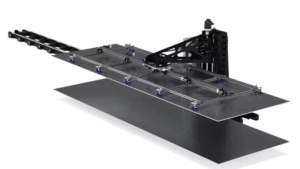
Understanding CNC Router Vacuum Zoning & Material Hold-Down Controls
Learn how to configure, manage, and monitor CNC router vacuum zones using AXYZ MOVE CNC control software.
In Lesson 6 of AXYZ MOVE Academy Basics, Michael Zeuener, AXYZ Engineering & Product Manager, demonstrates the essential vacuum zoning functions used to manage material hold-down across a CNC router table.
Through practical software demonstrations and a synchronized CNC machine digital twin, you’ll explore manual vacuum zone controls, automatic zoning functions, and the differences between Simple, Live Deck, and Pendulum operating modes.
What You’ll Learn
-
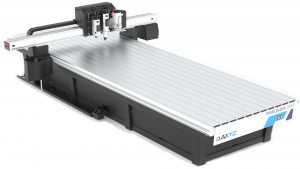
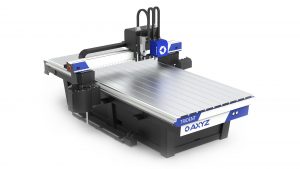
Understanding CNC Vacuum Zones: Explore how vacuum tables are divided into individual zones and how these zones support material restraint during machining operations.
-
Manual Vacuum Zone Control: Learn how to select Off, On, or Auto for individual vacuum zones and understand how these settings affect controller output requests.
-
All Zones Settings: Configure multiple zones simultaneously using the All Zones selector and Apply function.
-
Simple Vacuum Mode: Understand the basic automatic vacuum zoning configuration and how it interacts with manually selected zone settings.
-
Live Deck Automatic Zoning: Discover how Live Deck uses the configured cutting-head region to determine which vacuum zones receive automatic activation requests.
-
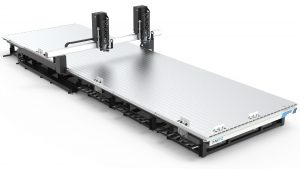
Pendulum Vacuum Mode: Learn how to establish a Pendulum Line that divides the CNC router table into separate working areas and influences automatic zoning behaviour.
-
Vacuum Zone Overlays: Interpret the graphical zone layout and identify the relationship between machine movement, active zones, and controller output states.
-
Comparing Vacuum Modes: Understand the operational differences between Simple, Live Deck, and Pendulum modes during the same programmed machine movement.
-
Vacuum System Verification: Recognize the difference between software-indicated zone activation and actual vacuum pressure or material holding performance.
Why This Lesson Matters
Effective vacuum management is an important part of CNC router operation, particularly when working with sheet materials that require consistent positioning during cutting.
Improper vacuum zone selection may reduce material restraint, contribute to material movement, or create unnecessary vacuum demand.
Understanding how automatic and manual zoning functions interact helps CNC operators prepare their machines for production and maintain greater control over material holding.
AXYZ MOVE provides integrated vacuum zoning controls, configurable automatic modes, and visual feedback to simplify the management of CNC vacuum tables.
Features such as Live Deck and Pendulum zoning can support more flexible manufacturing workflows when configured and operated correctly.
By the End of This Lesson
You’ll understand how to navigate the AXYZ MOVE vacuum zoning interface, configure individual and multiple vacuum zones, and distinguish between Simple, Live Deck, and Pendulum modes.
You’ll also be able to interpret vacuum zone indicators, understand how automatic zoning responds to programmed machine movement, and identify the checks required before starting a CNC cutting operation.
Continue developing your CNC machine operation skills with AXYZ MOVE Academy, where intelligent controls and industrial automation support efficient manufacturing.
Training Note: This lesson demonstrates controller-driven vacuum zone behaviour using an A2MC training controller and synchronized digital twin. Displayed zone states do not confirm physical vacuum pressure, airflow, or material restraint. Pendulum vacuum settings do not make an adjacent operating area safe to enter. Always follow the approved procedures for your installed CNC machine.