




Understanding AXYZ MOVE Settings and Their Effects
Learn how to navigate, configure, and manage the essential settings within AXYZ MOVE CNC control software. In this second lesson of MOVE Academy Basics, you’ll explore how software preferences, CNC program settings, machine configuration, and operating controls influence the performance and functionality of an AXYZ CNC router.
Led by Michael Zeuener, AXYZ Engineering & Product Manager, this lesson provides step-by-step demonstrations of the MOVE settings interface, helping CNC operators understand which settings affect the display, which influence program execution, and which require additional machine actions.
What You’ll Learn
-
Display Settings & Measurement Units: Switch between metric and imperial units, adjust screen preferences, and understand how display changes affect coordinate readings without changing physical machine positions.
-
Software Preferences: Explore display options, pointer sensitivity, notification settings, fullscreen controls, and CNC program library locations.
-
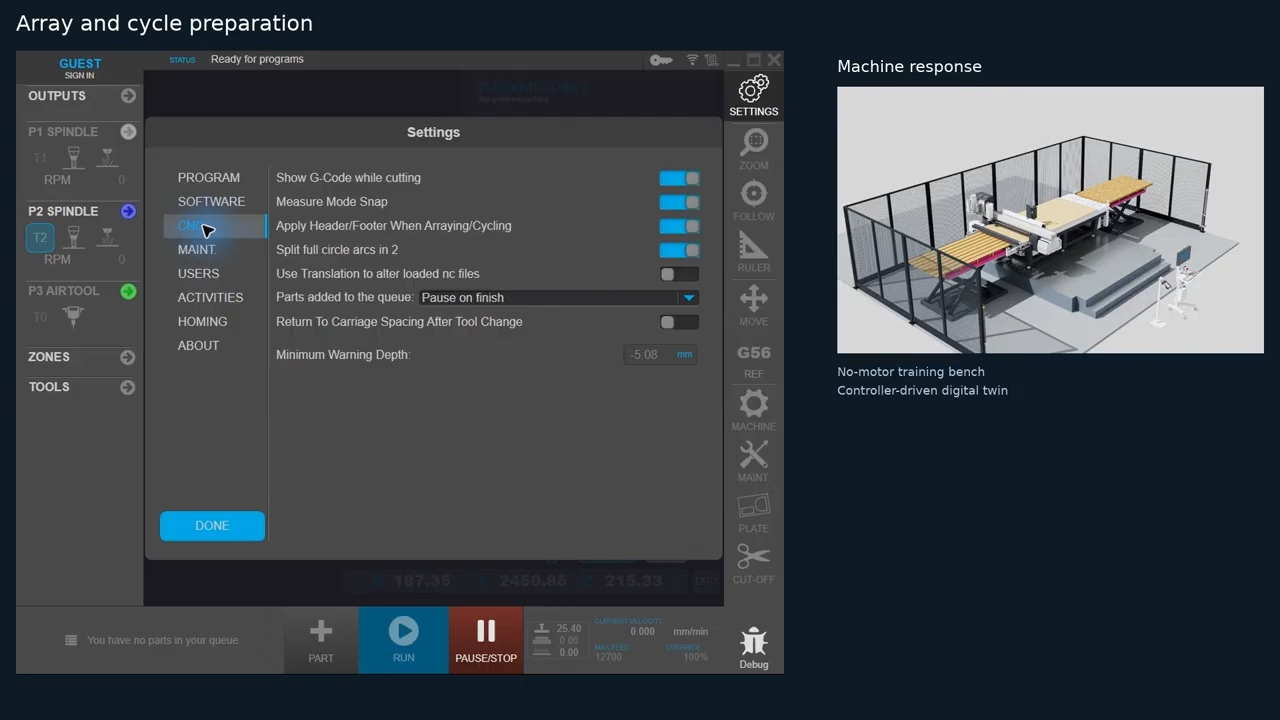
CNC Program Configuration: Understand G-code display settings, measurement snap preferences, program translation, and other options that influence CNC program preparation.
-
Arraying & Cycling Settings: Learn how header and footer commands are handled when repeating CNC cutting programs or creating part arrays.
-
Production Queue Management: Configure Pause on Finish and Auto-Continue settings to control how the CNC machine progresses between queued cutting jobs.
-
Machine Maintenance & Monitoring: Explore consumable tracking, machine usage records, maintenance settings, and available diagnostic features.
-
User Access & Machine Controls: Understand how permissions influence available functions and how to identify machine homing controls without unintentionally initiating movement.
-
Verifying Changes: Learn why settings should be reviewed carefully and how to confirm their effects before starting production.
Why This Lesson Matters
Proper CNC software configuration is essential for maintaining consistent machining operations, reducing operator errors, and improving production efficiency.
Understanding the difference between display preferences and machine-affecting settings allows operators to make informed adjustments while maintaining control over CNC cutting programs and production workflows.
By the End of This Lesson
You’ll be familiar with the major settings available in AXYZ MOVE, understand how they influence CNC machine operation, and know what to verify when preparing the system for a cutting job.
Continue building your CNC router operating skills with AXYZ MOVE Academy, where intuitive software meets advanced manufacturing technology.
Note: Available settings depend on machine configuration, software version, and operator permissions. Some changes require additional verification or machine-specific procedures.