




Understanding CNC Gang Drilling Heads, Machine Positioning & Tool Qualification
Learn how to identify, position, and prepare specialized CNC drilling equipment using AXYZ MOVE CNC control software.
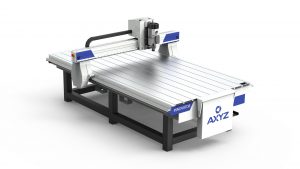
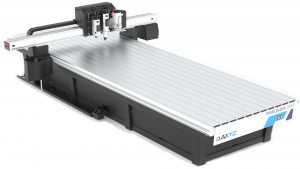
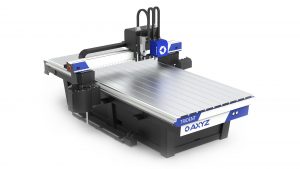
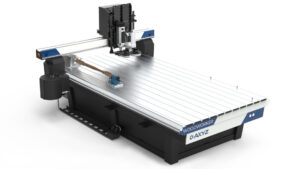
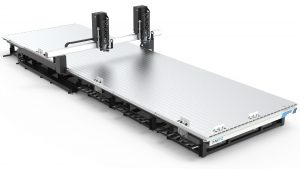
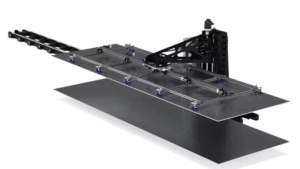
In Lesson 13 of AXYZ MOVE Academy Basics, Michael Zeuener, AXYZ Engineering & Product Manager, introduces the gang drilling head configuration used on the AXYZ WoodWorker CNC router.
Through practical software demonstrations and a synchronized CNC machine digital twin, you’ll explore how to identify the selected head and cutting tool, perform controlled positioning movements, interpret manual head controls, and recognize tool qualification requirements before starting a machining operation.
This lesson builds on earlier training in CNC tool management, machine coordinates, and manual movement, applying those fundamentals to specialized woodworking equipment.
What You’ll Learn
-
Understanding CNC Gang Drilling Equipment: Explore the gang drilling head fitted to the demonstrated AXYZ WoodWorker configuration and understand its role in CNC woodworking applications.
-
Machine Head Identification: Learn how to identify the selected P1 gang drilling head and distinguish it from other configured machine stations.
-
CNC Tool Selection: Understand the relationship between the loaded tool number, its tool library definition, and the physical machining head.
-
Incremental Machine Positioning: Use small, controlled XYZ jogging movements to position the gang drilling assembly and verify the resulting coordinates.
-
Machine Coordinate Monitoring: Read the displayed coordinate values and compare the expected movement with the controller’s reported machine position.
-
Specialized Head Controls: Navigate the available manual gang head controls and understand how different commands request changes in the equipment’s operating state.
-
CNC Output Status Verification: Distinguish between a command sent by the controller and confirmation that the physical equipment has responded correctly.
-
Understanding Tool Qualification: Learn why a loaded drilling tool must meet its qualification requirements before being used for production.
-
Machine Readiness Warnings: Recognize how MOVE identifies unqualified tooling and why these warnings must be resolved rather than bypassed.
-
Pre-Operation Verification: Understand the importance of checking head selection, tool assignments, machine positioning, clearance, and qualification status before beginning a CNC drilling program.
Why This Lesson Matters
Specialized drilling equipment expands the manufacturing capabilities of industrial CNC routers, particularly in woodworking and panel-processing applications.
Manufacturers producing cabinetry, furniture components, wood panels, and other precision-machined products often require multiple drilling and routing operations.
Gang drilling equipment can support these workflows by providing dedicated drilling capabilities within a CNC machining system.
However, effective operation depends on accurate machine positioning, correct tool identification, and appropriate equipment configuration.
CNC Head Positioning
Understanding how the selected machine head responds to movement commands is important when preparing specialized machining operations. Small incremental movements help operators inspect positioning while maintaining control over the requested displacement.
Manual Head Controls
AXYZ MOVE provides operator controls for supported gang drilling equipment. Understanding the difference between a controller command and confirmed physical movement is essential for interpreting machine feedback.
Tool Qualification & Machine Readiness
Correct tool qualification is necessary before using cutting tools in production. A tool can be assigned and loaded within the software while still requiring additional qualification.
MOVE helps operators recognize these conditions and identify when further setup is required.
Integrated CNC Woodworking Technology
By bringing tool management, machine positioning, and specialized head controls together, AXYZ MOVE supports the operation of configured CNC woodworking equipment from a centralized interface.
By the End of This Lesson
You’ll understand how the AXYZ WoodWorker identifies its gang drilling head, how to position the assembly using controlled machine movements, and how to interpret the available manual head controls.
You’ll also recognize why displayed output states must be verified against actual equipment behaviour and why tool qualification is required before beginning CNC drilling operations.
Continue developing your CNC woodworking and machine operation skills with AXYZ MOVE Academy, where intelligent machine controls support precision manufacturing and specialized CNC applications.
Training Note: This lesson uses an A2MC training controller and synchronized digital twin. The demonstration illustrates machine positioning and controller commands but does not validate physical drilling, pneumatic cylinder movement, or tool qualification. Actual gang drilling operations must follow the approved procedures for the installed and commissioned machine.