




Understanding Automated CNC Material Loading, Unloading & Panel Exchange
Learn how to manage automated material handling operations using AXYZ MOVE CNC control software.
In Lesson 10 of AXYZ MOVE Academy Basics, Michael Zeuener, AXYZ Engineering & Product Manager, demonstrates how CNC operators can initiate, monitor, and verify material loading, table clearing, and combined panel exchange operations.
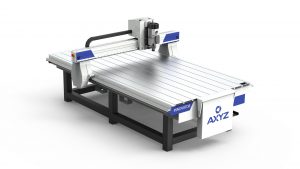
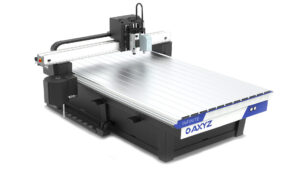
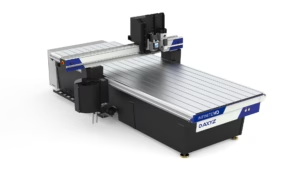
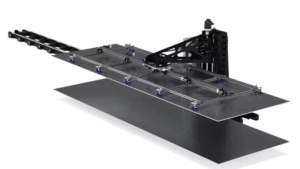
Through practical software demonstrations and a synchronized CNC machine digital twin, you’ll explore how supported AXYZ CNC routers coordinate material movement between input stacks, machine tables, and output areas.
This lesson introduces the material handling functions available on a configured AXYZ Prefab CNC machine, illustrating how automated loading and unloading operations contribute to efficient sheet-processing workflows.
What You’ll Learn
-
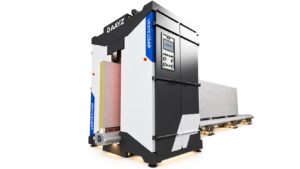
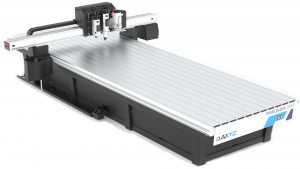
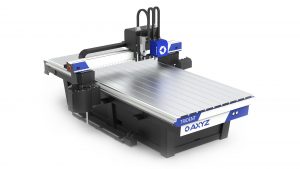
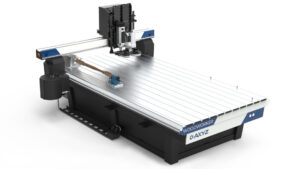
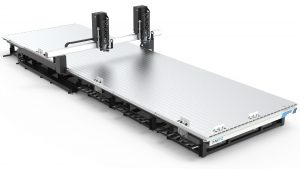
Understanding CNC Material Handling Systems: Explore how automated loading and unloading equipment supports the transfer of sheet materials to and from a CNC router table.
-
Navigating MOVE Material Handling Controls: Locate the relevant controls within the MACHINE interface and understand the available material handling commands.
-
Automated Material Loading (M281): Learn how the Load Material command initiates a configured loading sequence to transfer a new sheet onto the CNC machine.
-
Material Registration & Positioning: Understand the pickup, transfer, registration, and release operations involved in positioning material on the CNC table.
-
Clearing the CNC Table (M280): Explore how the Clear Material command requests the removal of the current panel and its transfer toward the receiving area.
-
Combined Material Exchange (M282): Learn how Load Material with Unload coordinates the removal of an existing panel with the introduction of new material.
-
Input & Output Material Management: Understand how the input stack, CNC worktable, and output stack work together during automated panel handling.
-
Machine Status & Controller Feedback: Learn how to monitor MOVE messages and observe machine responses while material handling operations are in progress.
-
Material Handling Safety & Readiness: Recognize the importance of checking spindle status, machine readiness, guarding, transfer areas, and equipment clearance before initiating movement.
-
Verifying Completed Operations: Understand how to confirm that material handling sequences have finished and that the machine is in the intended state before continuing production.
Why This Lesson Matters
Automated material handling is an important component of efficient CNC manufacturing, particularly for businesses processing large sheets of wood, plywood, OSB, MDF, and other panel materials.
Traditional CNC manufacturing may require operators to manually load raw materials, position sheets, and remove completed panels between cutting operations.
Automated loading and unloading equipment can reduce the amount of manual handling required and help maintain a more consistent production workflow.
Automated Material Loading allows supported machines to bring new panels onto the CNC router table using a configured transfer and registration sequence.
Automated Table Clearing provides a controlled method of removing material from the work area after an operation.
Combined Panel Exchange coordinates outgoing and incoming material handling, helping streamline the transition between production jobs.
For manufacturers operating in prefabricated housing, modular construction, woodworking, cabinetry, and industrial panel processing, these automation capabilities can support increased productivity and more efficient sheet-processing operations.
AXYZ MOVE brings material handling commands and machine status information together within the CNC control interface, giving operators greater visibility into the requested workflow and its progress.
Understanding these functions helps operators prepare material handling operations, recognize the differences between available commands, and verify that each sequence has completed correctly.
By the End of This Lesson
You’ll understand how to navigate the AXYZ MOVE material handling interface and distinguish between the Load Material, Clear Material, and Load Material with Unload commands.
You’ll also become familiar with the sequence of material pickup, transfer, registration, table clearing, and combined panel exchange operations.
Most importantly, you’ll understand how to monitor controller feedback, verify machine readiness, and confirm that material handling operations have completed before continuing with CNC production.
Continue developing your CNC manufacturing and automation skills with AXYZ MOVE Academy, where intelligent controls and integrated material handling support efficient, repeatable industrial production.
Training Note: This lesson uses an A2MC training controller and synchronized digital twin to illustrate automated material handling workflows. The simulation does not physically validate stock contact, pneumatic movement, or material transfer. Available functionality depends on the machine’s installed and commissioned equipment. Always verify actual material positioning, guarding, clearance, and machine status before requesting a loading, unloading, or exchange operation.