



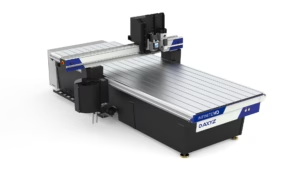
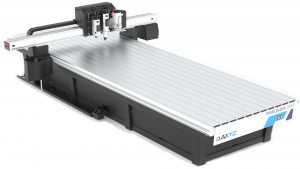
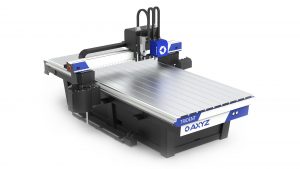
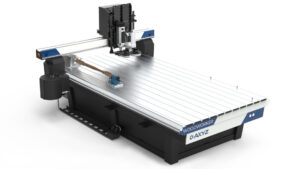
AXYZ MOVE Basics – CNC Router Software & Machine Operation Training
0% Completed
Topic 1: CNC Software Fundamentals & Machine Controls
Build a strong foundation in AXYZ MOVE CNC control software. Learn to navigate the interface, configure essential settings, manage cutting tools, and control manual machine movement. This section introduces the core functions required for effective CNC router operation.
Lesson 1: Introduction to AXYZ MOVE – Understanding the CNC Control Interface
Video - 00:00:00 mins
Lesson 2: AXYZ MOVE Settings & Preferences – CNC Router Software Configuration
Reading
Lesson 3: AXYZ MOVE CNC Tool Management – Tool Library, Automatic Tool Changer (ATC) & Manual Tool Changes
Video - 00:00:00 mins
Lesson 4: Manual CNC Router Movement – Jogging, Speed Settings & Saved Positions
Video - 00:00:00 mins
Milestone Quiz 1: AXYZ MOVE Fundamentals – CNC Software & Machine Controls
Quiz
Topic 2: CNC Machine Setup, Job Preparation & Operation
Explore the essential processes involved in preparing and running CNC cutting programs. Learn how to configure work offsets, manage vacuum and roller hold-down systems, arrange parts, create production arrays, and control machining operations for accurate and efficient manufacturing.
Lesson 5: CNC Work Offsets – Setting, Adjusting & Verifying Program Origins in AXYZ MOVE
Video - 00:00:00 mins
Lesson 6: CNC Router Vacuum Zoning – Manual Controls, Simple, Live Deck & Pendulum Modes
Video - 00:00:00 mins
Lesson 7: CNC Router Roller Hold-Down – Configuration, Material Setup & Automatic Machine Response
Video - 00:00:00 mins
Lesson 8: CNC Router Job Setup – Part Rotation, Mirroring, Arrays & Production Cycles
Video - 00:00:00 mins
Lesson 9: CNC Router Job Operation – Production Cycles, Pause & Resume, Feed Rate Control & Completion
Video - 00:00:00 mins
Milestone Quiz 2: CNC Machine Setup, Job Preparation & Operation
Quiz
Topic 3: CNC Automation & Integrated Manufacturing Workflows
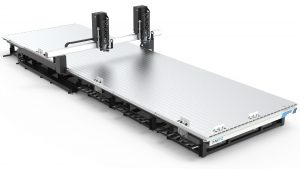
Discover how AXYZ MOVE supports advanced CNC automation and industrial production. Explore automated panel loading, unloading, machining, labelling, and continuous material exchange workflows designed to improve manufacturing efficiency in woodworking, panel processing, and prefabricated construction.
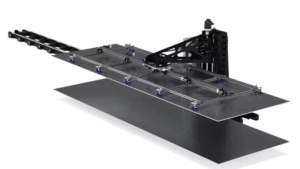
Lesson 10: Automated CNC Material Handling – Loading, Table Clearing & Panel Exchange
Video - 00:00:00 mins
Lesson 11: Automated CNC Production – Panel Loading, Machining, Labelling & Offloading
Video - 00:00:00 mins
Lesson 12: Automated CNC Panel Exchange – Multi-Panel Processing & Continuous Production
Video - 00:00:00 mins
Milestone Quiz 3: CNC Automation, Material Handling & Integrated Production
Quiz
Topic 4: Advanced CNC Applications & Specialized Machine Controls
Expand your knowledge of AXYZ CNC router capabilities with specialized woodworking and rotary-axis applications. Learn how to manage gang drilling equipment, verify tool qualification, and control rotary-axis positioning using AXYZ MOVE software.
Lesson 13: AXYZ WoodWorker – CNC Gang Drill Head Setup, Positioning & Tool Qualification
Video - 00:00:00 mins
Lesson 14: CNC Rotary-Axis Operation – A-Axis Positioning, Movement Controls & Coordinate Setup
Video - 00:00:00 mins
Milestone Quiz 4: Advanced CNC Controls – Gang Drilling & Rotary-Axis Operation
Quiz
You're Almost There
Please complete previous Quiz first
Continue Previous Quiz
1 step remaining to unlock this lesson
Finish Course Early?
You have not completed all required lessons and assessments.
Your Progress
0%